Official launch of Synergy 3
All posts
Synergy 3 is here!
We have some exciting news to share with you about Synergy
We are delighted to introduce Synergy 3, the next big step for multi-computer productivity. With a host of new features and a brand new GUI, Synergy 3 offers ground breaking ease of use and versatility.
And, it's a free upgrade for existing customers. Most of our customers who tried Synergy 3 have had a stable experience, so we are launching our first release candidate, RC1.
What's new in Synergy 3...
Auto discovery
Unlock a new level of convenience and efficiency with revolutionary auto discovery mode. Say goodbye to the days of painstakingly entering IP addresses to connect computers to your layout. With our auto discovery technology, Synergy 3 automatically detects and adds computers effortlessly.
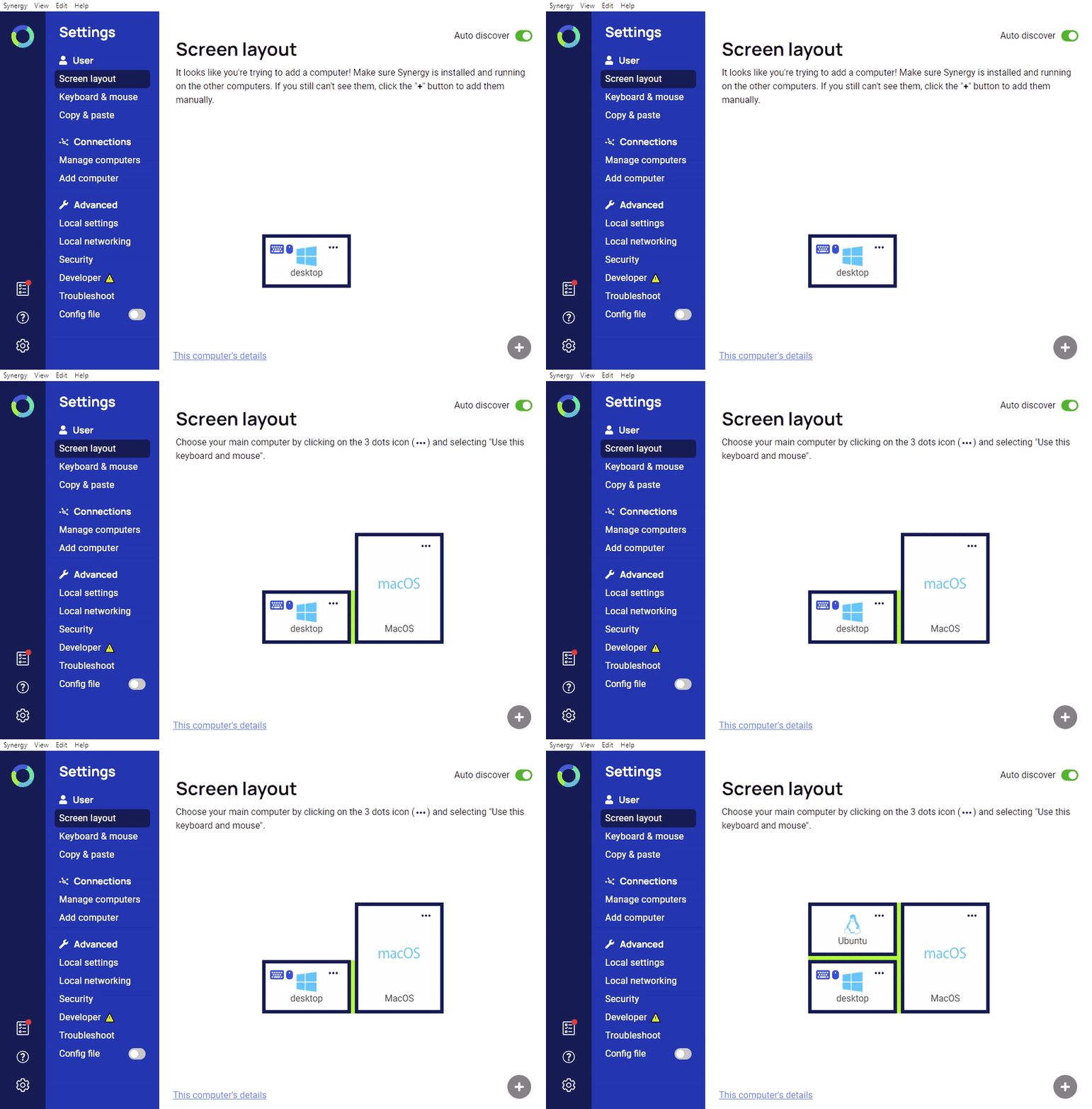
Intuitive user interface
Synergy 3 presents a freshly designed, modern screen layout system, breaking free from the constraints of the grid format in Synergy 1. Seamlessly resize and reposition each computer's screen to mirror real-life arrangements, ensuring a personalized and efficient workflow.
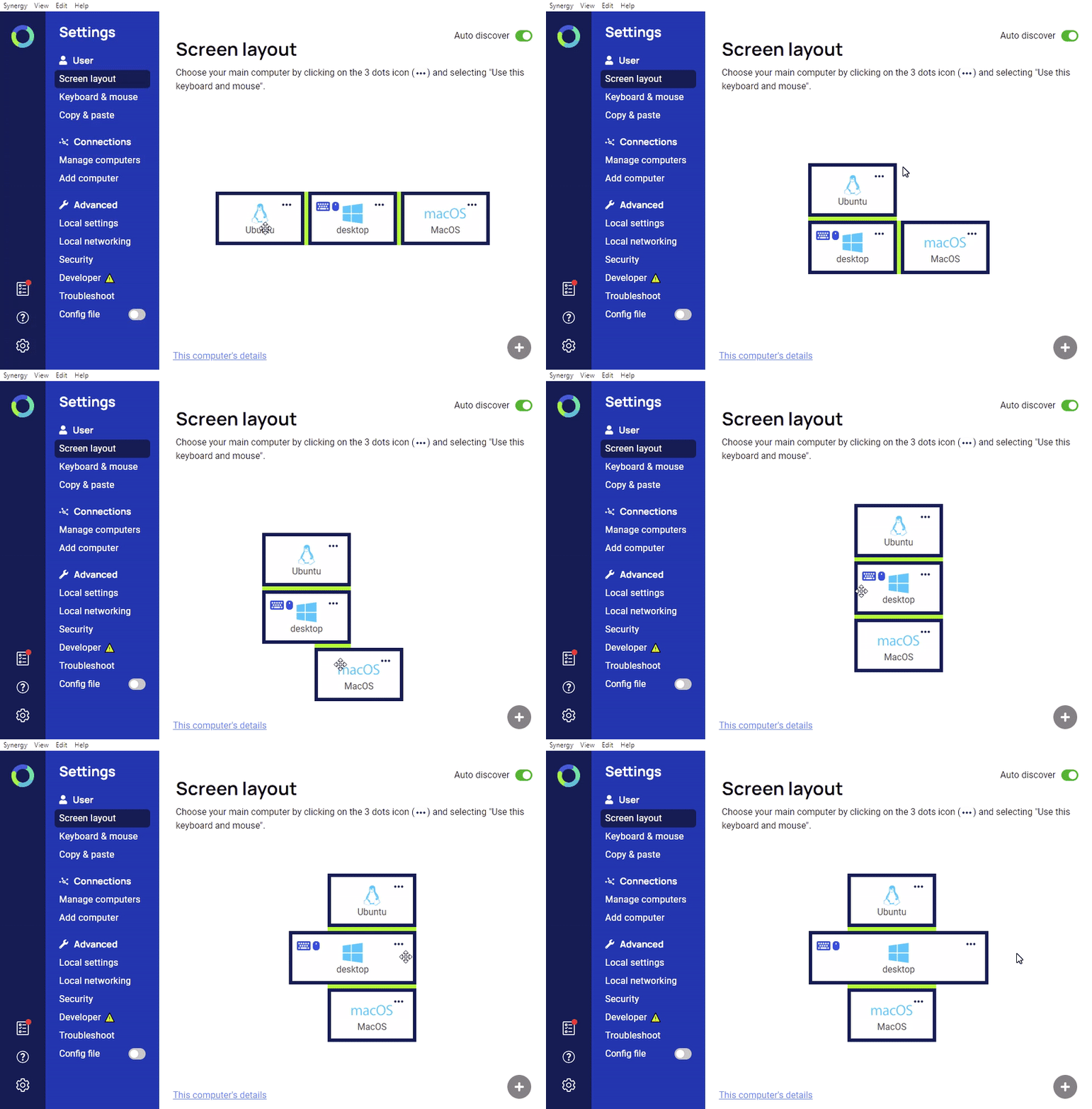
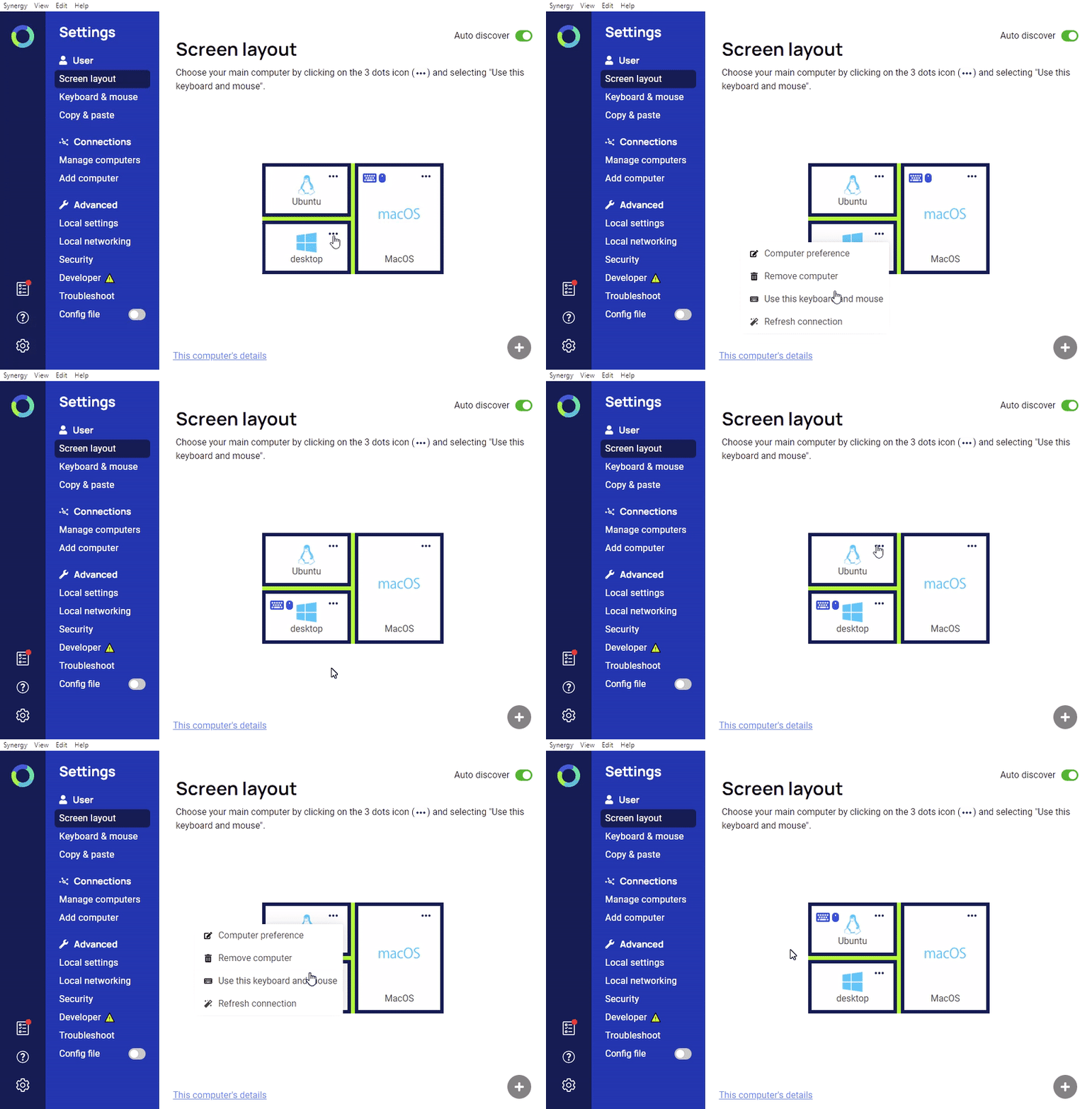
Simplified configuration
Say goodbye to technical jargon. Synergy 3 simplifies the setup process, eliminating the complexities of "client" and "server" concepts. Effortlessly switch the primary computer, which shares its keyboard and mouse, with our fluid and user-friendly configuration.
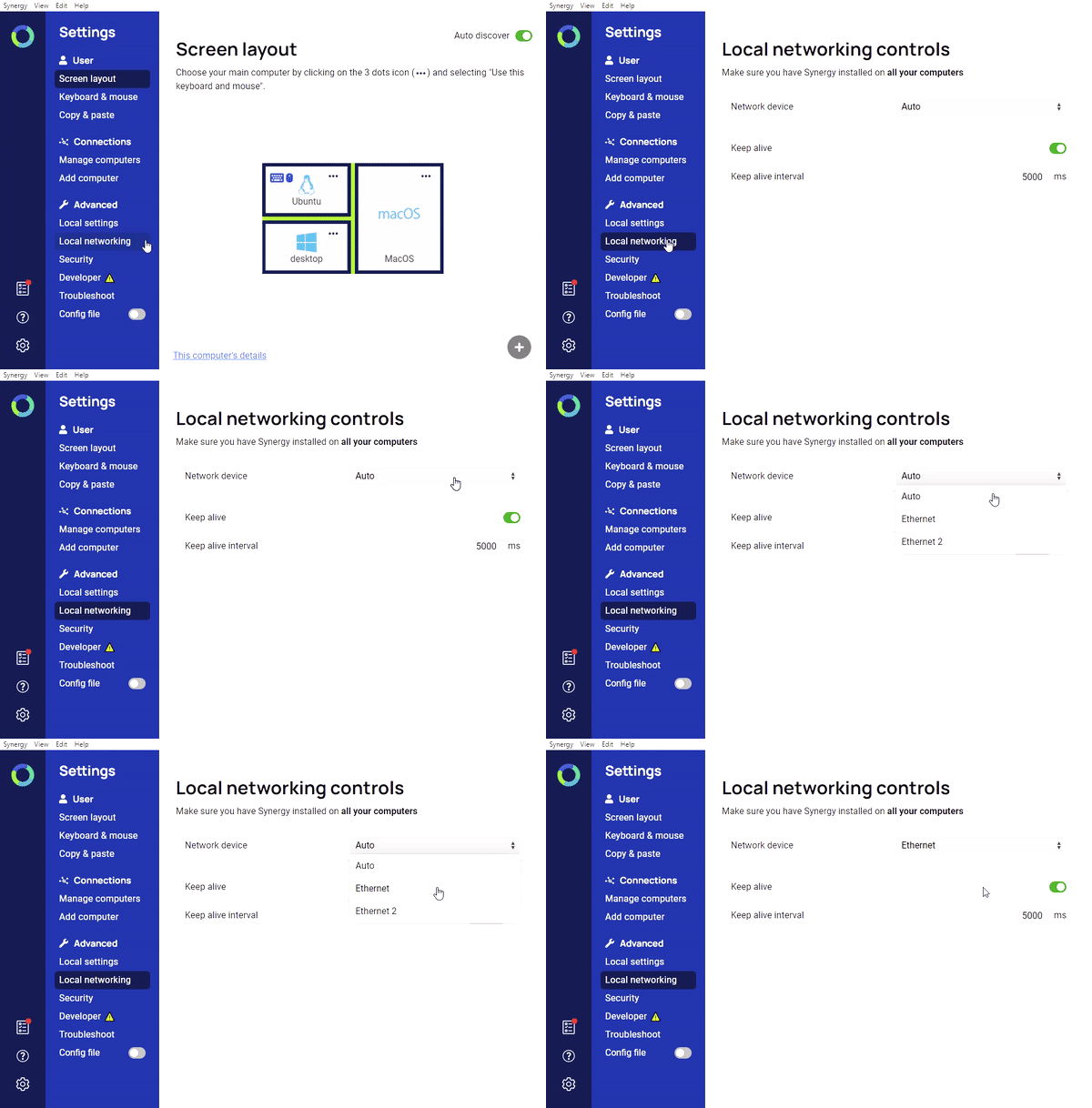
Network device preference
Experience enhanced control over network connectivity. Synergy 3 offers a convenient option to easily select the network device you want it to use. Enjoy seamless integration with your preferred network setup for optimal performance.
Universal compatibility
Our rebuilt background process management ensures automatic and hassle-free operation, enabling a seamless transition between systems. This new feature service is supported on Linux, macOS, and Windows.
Streamlined tray icon
Discover a unified tray icon that maintains consistency across platforms. Whether you're on Linux, macOS, or Windows, the tray icon provides a familiar interface, simplifying your interaction with Synergy 3.
Download now
Important: If you were testing the beta or alpha version of Synergy 3, you'll need to use the new serial key added to your account.
Update to Synergy 3 now and experience an effortless multi-computer mouse and keyboard sharing.
To learn more about Synergy 3 and access the latest version, visit our download page.
We appreciate your continued support as a valued Synergy customer. Experience the future of seamless collaboration with Synergy 3.
Get started with Synergy
If you have any further questions, please contact us.
 YouTube
 Reddit
 X (Twitter)
 Instagram
 Facebook
 LinkedIn